Your Favorites Ready When You Are
Order fresh pizza, bakery items, meals, snacks and more online or through the Kwik Rewards app. Choose your pickup time and skip the wait.
How It Works
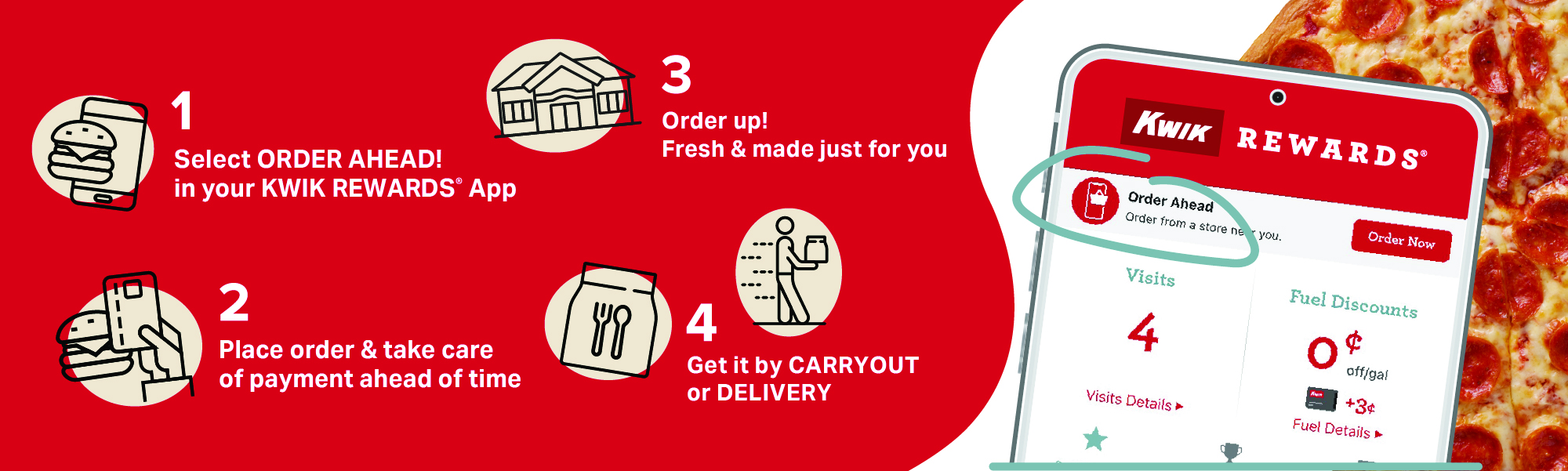
- Go to orders.kwiktrip.com or open the Kwik Rewards app
- Choose your store
- Select your pickup time or choose delivery
- Place your order and skip the line
Order Ahead Today
Whether you’re heading home from work, feeding the family or grabbing a quick meal, Order Ahead helps you get in and out faster.
Am I able to cancel my order through the app?
Currently, the Kwik Rewards app does not offer an option to cancel orders. If you need to cancel an order, please contact the store that received the order as soon as possible and have your order information available. The store and our Order Ahead team will review your request and assist with the cancellation process.
Why are some items I previously ordered no longer available on the menu?
When inventory is running low, certain items may be temporarily unavailable on the online menu to help prevent orders for out-of-stock products. As soon as the item is restocked, it will automatically become available for online ordering again.
What should I do if items are missing from my order or I never received my order?
If you placed your order through the Kwik Rewards app, please contact the store where the order was placed and provide details about the issue you experienced. Our team will review your request and process any applicable refund or compensation. If your order was placed through a third-party delivery service, such as DoorDash or Uber Eats, please contact the provider directly for assistance with refunds or order-related concerns.
DoorDash: 1-855-222-8111
Uber Eats: 1-833-ask-eats
Why am I having trouble finding a Kwik Trip/Star location near me?
If you’re only seeing distant store locations, check that location services are turned on for the Kwik Rewards app in your device settings. After enabling location services, the app should automatically show stores closest to your current location.
My Kwik Rewards Plus card does not have a CVV to enter during checkout, what do I enter?
The security code (CVV) is the PIN associated with your Kwik Rewards Plus Card and is used when making transactions with the card. If you have additional questions about your Kwik Rewards Plus Card, please contact Credit Customer Support at creditcustomersupport@kwiktrip.com
What items can be purchased through Order Ahead?
Through Order Ahead, you can purchase a variety of items, including hot food, chips, snacks, beverages, bakery goods, grocery items, and general merchandise. If you’re unsure whether a particular item is carried at a store, please reach out to that location directly for more information.
How do I change my payment option that is currently saved on Order Ahead?
During checkout, before submitting your order, you will have the option to select “Remove” for the current payment method. This allows you to update your existing payment information or add a new payment method before completing your purchase.
Why am I not receiving text updates about the status of my order?
If you are not receiving text updates regarding your order status, you may not be opted in to receive Order Ahead notifications. To subscribe to future order status messages, text “START” to 38245. Once enrolled, you will receive text updates for eligible Order Ahead orders.